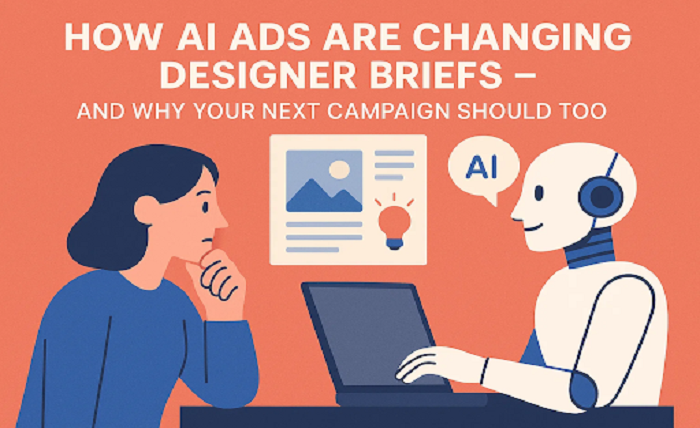
You used to spend a full afternoon writing a creative brief: mood‑boards in one tab, brand guidelines in another, a Google Doc full of half‑baked inspo lines. Then you’d ship everything to the design team, cross your fingers, and wait a week for first drafts. In 2025 that timeline feels prehistoric.
Today’s AI ad makers can spit out 40 headline‑visual combinations before you finish a coffee. That speed is addictive but only if your designers know what to do with all that machine‑made data. A clever brief now looks less like an art‑school assignment and more like a curated data pack: performance insights, modular assets, and clear, platform‑specific boundaries. The following seven‑step guide shows how to humanize your briefs so designers stay creative while AI handles the grunt work.
1. Lead With Evidence, Not Vague Inspiration
Great designers love big concepts—until a campaign tanks because no one checked the numbers. Start your brief with three data points from your AI ad maker: best‑performing headline, highest‑clicking image style, and top audience segment.
Example opener
“Last week, minimalist images featuring product close‑ups pulled a 3.4 % CTR—40 % better than lifestyle shots. Let’s build on that momentum.”
Why it matters: Designers instantly see which ideas have traction. They can still push creative boundaries, but they’re not guessing what the algorithm will reward.
2. Package Modular Brand Assets for Drag‑and‑Drop Speed
Think LEGO®, not marble sculpture. Your designers need flexible pieces they can remix fast: SVG logos, transparent PNG badges, hex‑coded color swatches, and font files. Zip them together with clear labels—Logo_Primary.svg, Color_Highlight_#FF7A00, Font_Display.ttf—and attach the bundle right in the brief.
Time‑saver tip: Ask your AI ad maker to auto‑generate background patterns, gradient overlays, and countdown badges already sized for each platform. Designers tweak; they don’t recreate.
3. Spell Out Platform Rules Up Front
Every channel has quirks: 1080×1920 Stories, 1200×628 Link Posts, 15‑second YouTube bumper caps. Nothing derails momentum like discovering half the copy gets cut off in mobile view. Paste a mini spec sheet into the brief—bullet the critical numbers, keep it scannable.
- Meta Feed: 1,080×1,080 px, <40 chars headline, <125 chars primary text
- LinkedIn Single Image: 1,200×627 px, <70 chars headline
- TikTok: 9:16 ratio video, 21‑34 secs, no on‑screen text inside safe zone
Designers glance once and design natively, not generically.
4. Share an AI‑Generated Style Snapshot Instead of a Mood Board
Mood boards are fun but subjective. Your AI ad maker can analyze recent top ads and spit out a style profile: dominant colors, average brightness, font weight, and even emotional tone (playful vs. premium). Add a screenshot or quick PDF to the brief.
Why it’s better: Designers see quantified style cues—“62 % of high‑CTR images used pastel backgrounds”—and adjust palettes scientifically, not intuitively.
5. Frame the Brief as an Iterative Loop, Not a One‑Off Handoff
AI ads evolve hourly; your brief should too. End with an expectation of rapid prototypes and feedback sprints.
“Round 1: three static mock‑ups + two 6‑second video intros by Tuesday. AI will A/B test overnight; Round 2 revisions Wed AM.”
Designers understand the cadence and can plan workloads around data‑driven checkpoints rather than “final‑final” deadlines.
6. Attach Performance KPIs Next to Creative Goals
Designers aren’t mind‑readers—but they’re great problem solvers. Pair each deliverable with a metric.
| Asset | Goal | KPI |
| Carousel Image Set | Explain 3 key benefits | Avg Slide CTR ≥ 2 % |
| 15‑sec Video | Drive free‑trial sign‑ups | View‑to‑Click ≥ 1.5 % |
| Static Banner | Retarget cart abandoners | CPA ≤ $12 |
Seeing performance targets turns design decisions—font size, color contrast, visual hierarchy—into measurable levers, not guesswork.
7. Keep Tone Friendly, Not Robotic
Data is crucial, but human language motivates. Write in a conversational voice, acknowledge their expertise, and invite creative pushback.
Bad: “Produce assets according to AI output; avoid deviation.”
Good: “Here’s what the numbers say. If you spot a smarter visual angle, shout—it’s your playground.”
A little respect goes a long way toward collaboration rather than compliance.
Quick‑Reference Checklist (Copy‑Paste Into Every Brief)
- Top 3 AI insights (headline, image style, audience)
- Modular brand kit zip link
- Platform specs cheat sheet
- AI style snapshot attachment
- Prototype timeline + feedback loops
- Asset‑specific KPIs table
- Friendly tone + open invite for ideas
Follow this list and your creative pipeline shifts from start‑and‑stop to plug‑and‑play—without killing imagination.
Final Thought: Data Guides, Designers Decide
AI ads makers are phenomenal at spotting patterns, but they can’t feel the spark of a color combo or the gut punch of a perfectly timed reveal. A modern brief bridges the gap: hard numbers for context, human freedom for craft. Provide the data, set clear rails, and let designers do what they do best—turn cold metrics into warm, scroll‑stopping stories.
Next step? Copy the checklist, attach your brand kit, and ship a data‑driven, designer‑friendly brief by end of day. Your AI ad maker will thank you with better results—and your design team will thank you for treating them like the creative pros they are.